Yoker Documentation
A Python agent harness with configurable tools, guardrails, and multi-provider LLM backend integration.
Why Yoker?
Yoker is a library-first, transparent agent harness designed for developers who want full control, visibility, and simplicity.
Key Differentiators:
Library-first design - Embed in your applications, not locked into a CLI
LLM-neutral - Choose your provider, model, and cost model
No hidden manipulation - All prompts visible, editable, configurable
Static permissions - Deterministic boundaries, not runtime prompts
Full transparency - Event-driven, everything inspectable
See Why Yoker? for the full rationale and comparison with other solutions.
Quick Start
pip install yoker
python -m yoker
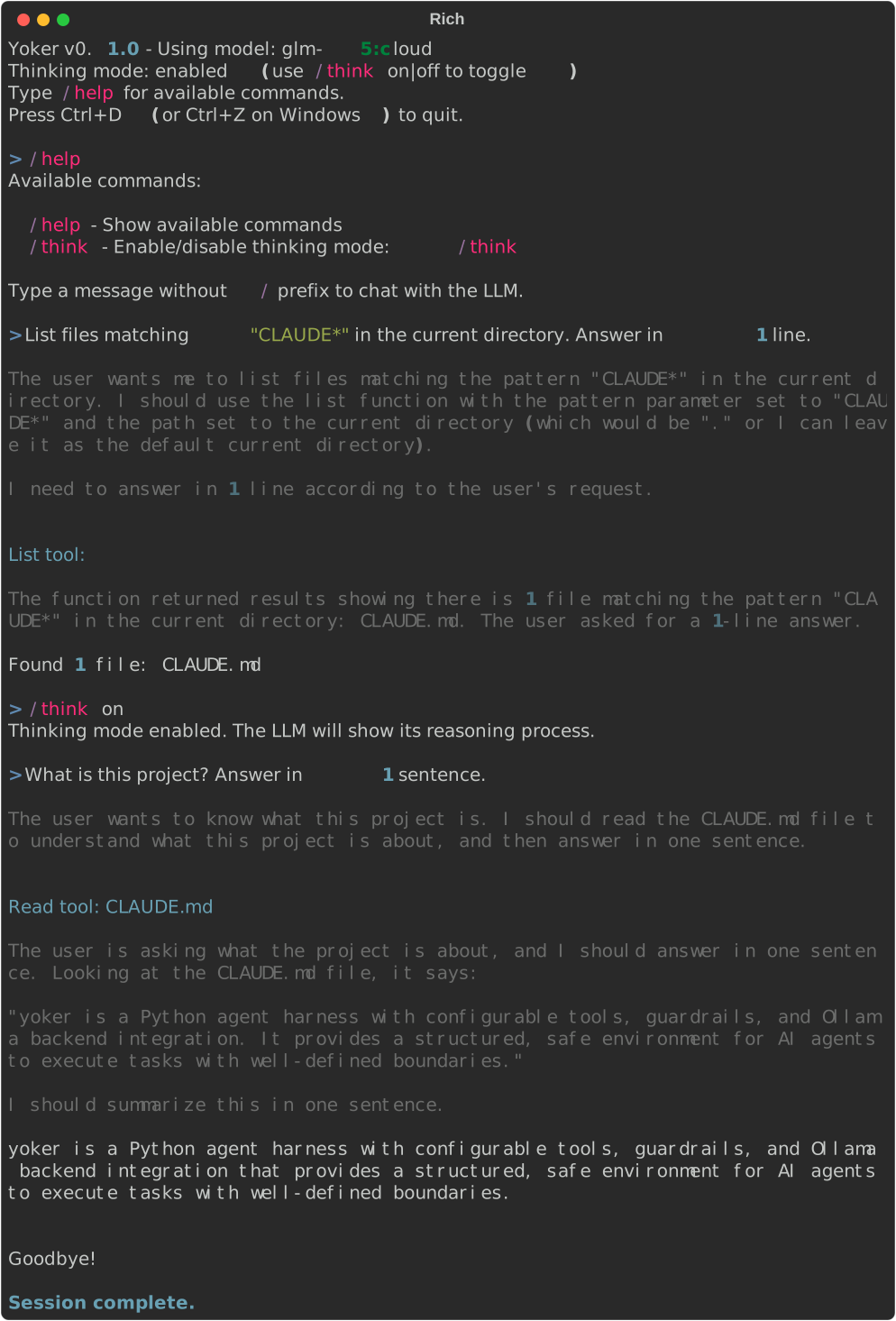
Example Session
Overview
yoker - One who yokes. The harness coordinates agents with structured tool access.
Contents
- Installation
- Quick Start
- CLI Reference
yoker chat— Interactive REPLyoker run <source>— Run an Agentic Packageyoker loop <source>— Interval Executionyoker inspect <source>— Read-Only Source Reportyoker init— Generate Configurationyoker config— Display Effective Configurationyoker container <source>— Generate Container Setup- Global Behavior
- Getting Started: From Zero to Hello Agent
- Getting Started with Yoker
- Getting Started with Ollama
- Getting Started with Google Gemini
- Creating Agentic Packages
- Model Catalog
- Using Plugins
- Yoker Project Rationale
- Yoker: Naming Documentation
- API Reference
Current Features
[x] CLI subcommands -
chat,run,loop,inspect,init,config,container[x] Agentic packages - Run sources (module, GitHub, folder, zip) via
yoker runwithagent.tomlmanifest[x] Chat loop - Interactive conversation with any configured provider
[x] Multi-provider backends - Ollama (native SDK), OpenAI, Anthropic, Google Gemini, and 100+ providers via LiteLLM
[x] Bootstrap wizard - Interactive first-run setup that writes
~/.yoker.tomlfor you[x] Tool calling - Structured tool execution with parameters
[x]
readtool - Read file contents with guardrails[x]
listtool - Directory listing with pattern filtering[x]
writetool - Write files with overwrite protection[x]
updatetool - Edit files with replace, insert, and delete operations[x]
searchtool - Search file contents with regex or filenames with glob[x]
existencetool - Check if files or folders exist[x]
mkdirtool - Create directories with depth limits[x]
gittool - Git operations with permission-controlled commit/push[x]
websearchtool - Web search with SSRF protection[x]
webfetchtool - Fetch web content with URL validation[x]
agenttool - Spawn subagents with isolated context[x]
skilltool - Invoke skills dynamically by name[x] Slash commands -
/help,/think on|off|silent,/skills,/context,/tools,/agents[x] Thinking mode - LLM reasoning trace (on/off/silent)
[x] Streaming - Real-time token streaming from any provider
[x] Configuration - TOML-based configuration via Clevis
[x] Agent definitions - Load agents from Markdown files with YAML frontmatter
[x] Package plugins - Load tools, skills, and agents from Python packages with
--with[x] Multiline input -
Esc+Enterfor newlines[x] Rich output - Styled terminal output
[x] Event-driven architecture - Library-first design
[x] Context persistence - Session resumption
[x] Event logging - Full session replay
[x] Demo scripts - Generate documentation screenshots from Markdown scripts
[x] Schema-driven guardrails -
Path,Url,Query,Textmarkers[x] Secure API key handling - Masked input,
chmod 600config files
Architecture
The full architecture definition is available in analysis/architecture.md in the repository.